Case Warnings
Overview
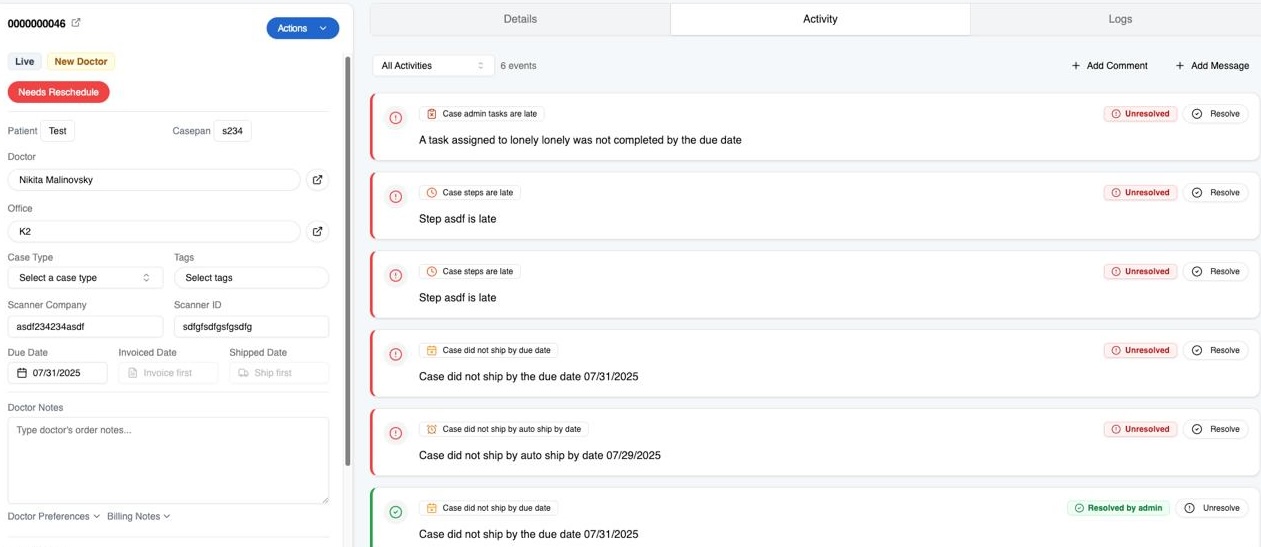
Pilot automatically identifies 6 types of case warnings:
- Did not ship by the ship date
- Did not ship by the due date
- Did not return from outsource on time
- Cases with additional steps that are late
- Cases with production steps that are late
- Cases with production steps that failed QC
A case can have more than 1 warning, and Pilot provides tools to identify, search for, and resolve cases with warnings.
Setup
- Navigate to Admin -> Settings -> Case Warning Types
- Select which types you want Pilot to identify and notify you about
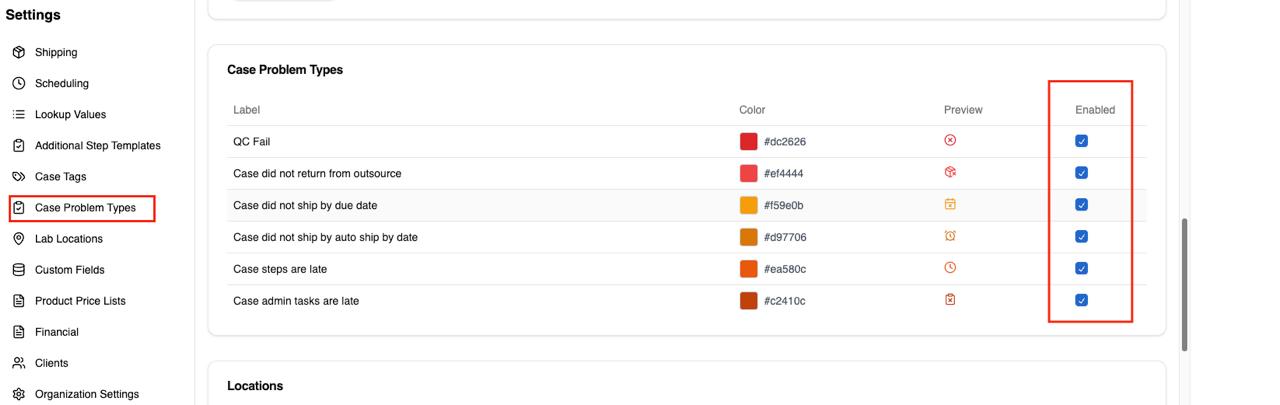
Take note of the icons that each problem has - they will be shown as a column on cases search table.
Finding Cases with Warnings
There are multiple ways to find cases with warnings
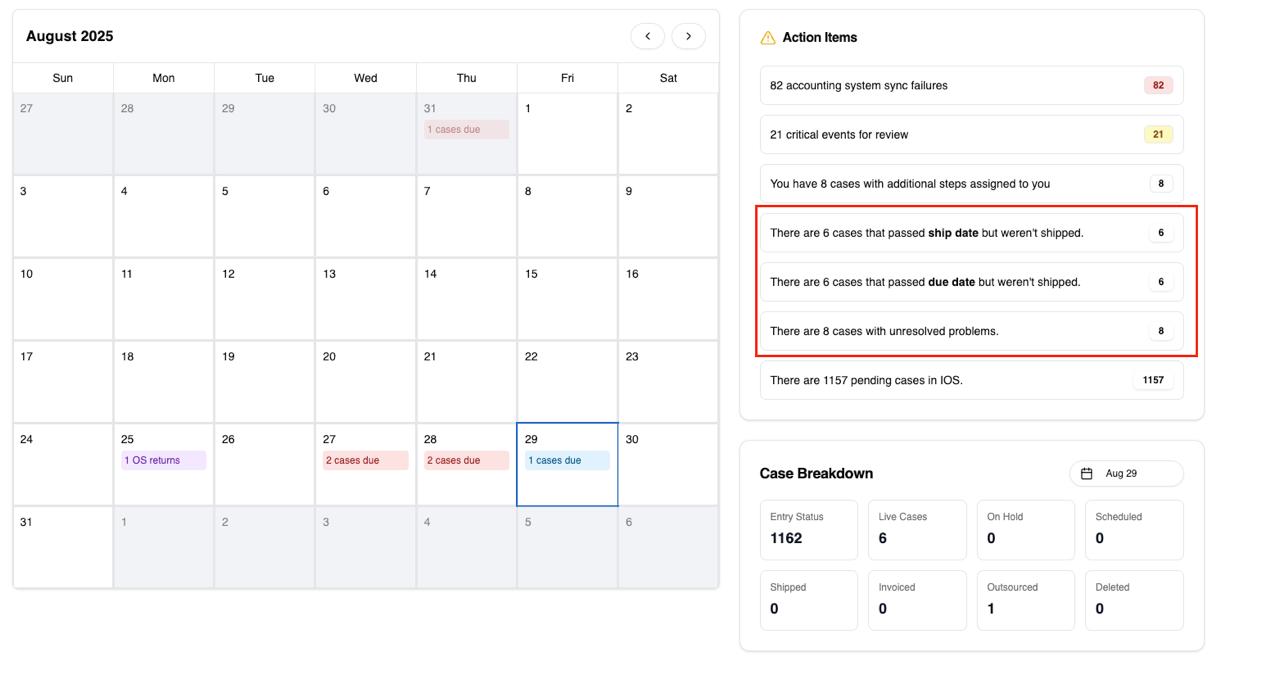
Dashboard -> Action Items
Navigate to Dashboard and check out the Action Items section. Clicking on any of the rows in the box in the screenshot below will take you to the cases search table with appropriate filter views set for you.
Case Search Table
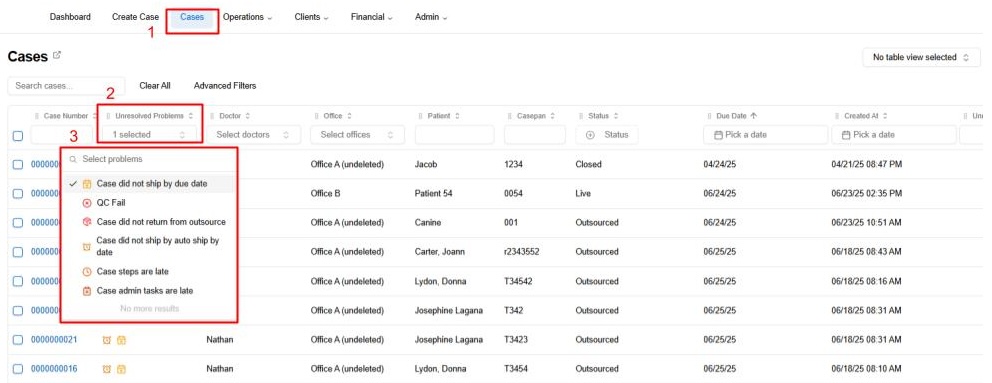
Alternatively, you can navigate to Cases search table and find all cases with unresolved warnings.
Resolving Warnings
The warnings are resolved in one of two ways:
- Manually
- A case is shipped
To resolve a warning manually, navigate to the case with warnings and open the Activity tab. You will see all case warnings and the buttons to resolve them.